Account and trust
Plans, billing, and the 21-day trial
Compare Free and Pro features, learn how the 21-day trial and its extension work, and manage billing settings, invoices, and subscription changes.
Last updated: 2026-10-09
On this page
CloudTally offers two subscription tiers: Free and Pro. Every new organisation begins on a 21-day Pro trial, providing full access to advanced features and expanded fleet quotas without requiring upfront payment.
This reference outlines the differences between plans, explains how the trial lifecycle functions, and details how organisation owners manage billing and subscription settings. Current plan pricing and comparison matrices are published on the Pricing page.
The 21-day Pro trial
When you register a new organisation in CloudTally, your workspace automatically enters a 21-day Pro trial:
- No credit card required: you can connect your infrastructure, evaluate cost trends, and set up alert routing without entering payment details.
- Full Pro capabilities: during the trial, your workspace has access to all Pro features, including up to 10 connected Hetzner projects, up to 10 team members, up to 15 budgets, smart forecasting with driver explanations, Slack notifications, and up to 365 days of visible cost history.
- Trial countdown: the dashboard displays a banner indicating the days remaining on your trial.
Extend your trial
If your team needs additional time to evaluate CloudTally across monthly billing boundaries, the organisation Owner can request a single self-serve +14 day trial extension:
- In the navigation sidebar, locate Settings and click Billing.
- If your organisation is eligible, the page surfaces an extension offer.
- Click Extend trial by 14 days.
Trial extensions add 14 calendar days to your countdown. An extension can be claimed either during the active trial or within a 14-day grace window after your workspace transitions to Free, provided your organisation has not previously used an extension and has not held a paid subscription.
What happens when the trial ends
If you do not choose Pro, your organisation transitions automatically to the Free tier on day 21:
- No surprise charges: because no payment method was collected upfront, your account cannot be auto-billed. There is nothing to cancel.
- Cost-history records remain: moving to Free does not delete historical hourly cost rows; the visible cost-history window narrows to the most recent 62 days.
- Configuration remains subject to quotas: your connected projects, budgets, alert channels, and team accounts remain configured, subject to Free tier limits.
How Free tier limits apply after trial
When your workspace transitions to Free, the following tier policies take effect:
- Connected projects: Free supports 1 active Hetzner project connection. The earliest project added to CloudTally remains active and continues background synchronisation. Additional projects are paused rather than removed; their API credentials remain saved, and the Owner can switch the active connection at any time (see Manage Hetzner projects and data sync).
- Cost history visibility: on Free, the cost-history show window narrows to the most recent 62 days across the dashboard and Cost Explorer. Older cost records remain safely stored; Pro provides a visible-history window of up to 365 days.
- Budgets: Free supports 1 active budget. Existing budgets created during the trial remain stored, but additional budgets cannot be created while the organisation is over the Free limit (see Create and manage budgets).
- Team members: Free allows 1 user (the organisation Owner). Colleague accounts created during the trial remain in the organisation; Pro supports up to 10 team members (see Invite your team and protect your data).
Plan comparison and quotas
The core CloudTally platform—including read-only Hetzner integration, infrastructure dashboards, cost exploration, and recommendations—is available across all workspaces.
| Feature or limit | Free plan | Pro plan |
|---|---|---|
| Connected Hetzner projects | 1 active project (surplus paused) | Up to 10 active projects |
| Team members | 1 user (Owner) | Up to 10 team members |
| Budgets | 1 active budget | Up to 15 budgets |
| Visible cost history | Most recent 62 days | Up to 365 days |
| Background sync cadence | 15-minute update cadence | 15-minute update cadence |
| On-demand sync | Periodic background sync only | On-demand manual sync |
| Dashboard & Cost Explorer | Full visibility & drilldown | Full visibility & drilldown |
| Spend forecasting | Run-rate month-end projection | Smart forecast with driver explanations |
| Waste detection & rightsizing | Full recommendations, details, & CSV export | Full recommendations, details, & CSV export |
| Monthly cost reports | Current month and 1 prior closed month | Full archive access (up to 365 days) |
| Report project breakdown | Not available | Full breakdown across all projects |
| Notification channels | Email to Owner/Admin default address | Slack notifications and custom email recipient routing |
For up-to-date pricing and feature comparison details, visit the Pricing page.
Manage billing and subscriptions
Subscription management is located under Settings → Billing.
Role permissions
- View billing: users holding the Admin or Owner role can view subscription status, review usage meters, and inspect past invoices.
- Manage billing: only the organisation Owner can upgrade plans, change billing cycles, enter checkout, update payment methods, or cancel subscriptions.
Upgrade to Pro
To upgrade your organisation from the trial or Free tier:
- Navigate to Settings → Billing.
- Click Change Plan.
- Select your preferred billing cycle (Monthly or Annual).
- Click Upgrade to Pro to open the billing-details step.
- Enter your billing details, then use Continue to payment to proceed to checkout.
Pro features and expanded quotas activate once checkout is confirmed.
Plan prices exclude VAT. Your total, including any VAT, is shown before you pay. The Free comparison card has no checkout action.
Billing details
Open Settings → Billing and select Billing details to review company, address and tax information.
- Fill in Company name and the billing address: Address line 1, optional Address line 2, Postal code and City.
- Choose Country. The list is ordered alphabetically by displayed country name; the selected country controls which tax fields appear.
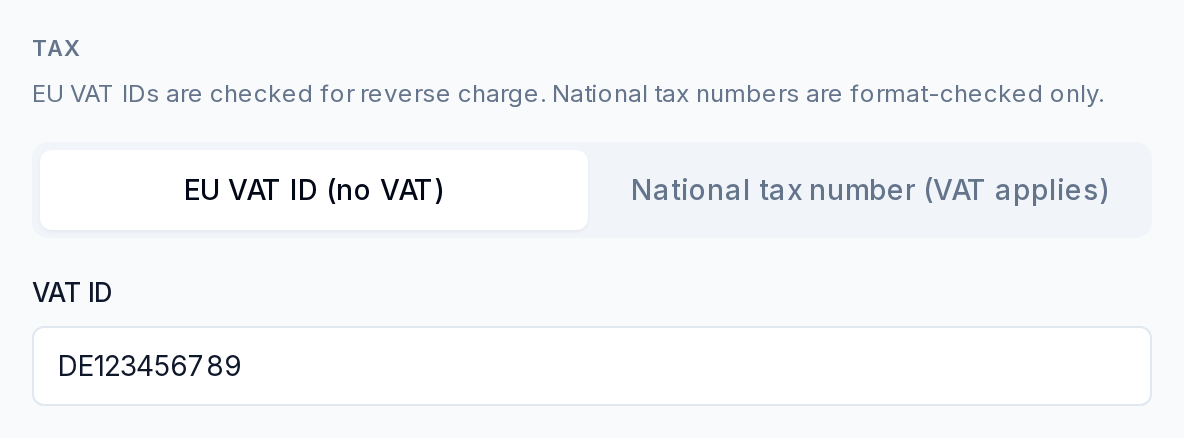
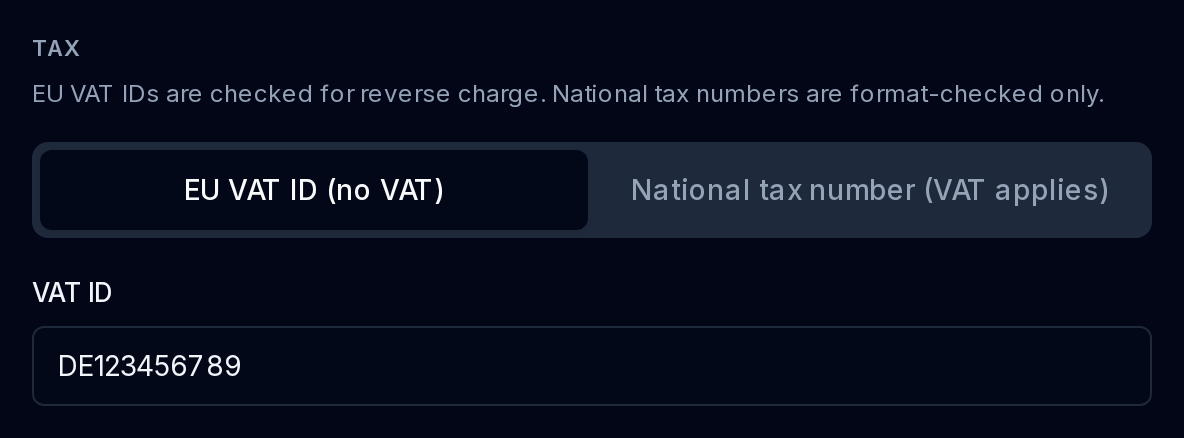
- For the EU form, choose Tax identifier type:
- EU VAT ID (no VAT): the form checks EU VAT IDs for reverse charge.
- National tax number (VAT applies): the form checks the number’s format only.
- On the billing-details edit page, use Save billing details. During checkout, the corresponding action is Continue to payment.
For United States, the form requires State or region and EIN. The EIN example is 12-3456789, and the form states Format-checked only, not verified. An additional VAT or GST registration number is optional.
Billing cycles
CloudTally supports two billing intervals for Pro:
- Monthly billing: billed once per monthly billing period. Cancellation takes effect at the end of the active billing period.
- Annual billing: billed once per year with a discounted rate.
To adjust your billing frequency, open Change Plan in Billing settings and choose the updated cycle. Switching from monthly to annual takes effect at the end of the active billing period; switching from annual to monthly schedules monthly renewal once the prepaid annual term concludes.
Invoices and payment records
Available invoices can be reviewed and downloaded:
- In Billing settings, select the Invoices tab.
- Review past charges, payment dates, and invoice statuses.
- Click Download PDF on any invoice row to obtain a printable receipt.
Cancel or resume a subscription
To schedule cancellation of your paid subscription at the end of the active billing period:
- In Billing settings, locate the Current Plan card.
- Click Cancel subscription.
- Confirm the cancellation.
CloudTally schedules the cancellation for the end of your current billing period. Your Pro features and limits remain fully active until that date arrives, and no further renewal charges are processed. When the billing period closes, your workspace transitions to the Free tier with paused surplus projects and 62 days of visible history.
If you change your mind before the current billing period ends, the Owner can click Resume subscription on the Current Plan card to retain Pro uninterrupted.
Troubleshooting
Why did my extra Hetzner projects stop syncing?
When a trial lapses to Free, CloudTally enforces the Free tier limit of 1 active connection. Surplus projects are paused to prevent quota overages, but their configurations remain saved. Pro supports up to 10 active connections; on Free, an Owner can navigate to Manage Hetzner projects and data sync to switch which single project is active.
Can I view cost data older than 62 days after moving to Free?
Yes. Historical cost records are never deleted when moving to Free. CloudTally simply restricts the in-app show window to the most recent 62 days. Pro provides up to 365 days of visible history across the dashboard, reports, and Investigate why spend changed.
Why can I not access billing actions?
Only the organisation Owner can change plans, initiate checkout, or cancel subscriptions. If you hold an Admin role, you can inspect subscription status and invoices, but you cannot execute billing changes. Contact your organisation Owner to complete subscription modifications.